
Webpage diagnosis for people building without a designer
Find the problems in your webpage,
and improve it yourself
Analyze the colors, spacing, typography, and structure of the page as it actually renders. Get the evidence, next steps, and practical CSS examples in one place.
No credit card · 2-minute setup · You edit, tahtun diagnoses
Does this sound familiar?
Building is easier now,
but polishing still feels hard
You cannot tell what feels off
The colors, spacing, or type feel wrong, but you are not sure what to fix first.
You cannot explain the problem
It is hard to share a design issue with your team without a clear, objective reason.
You are not sure the fix worked
You need to compare desktop and mobile and see what actually changed after each improvement.
tahtun analyzes the page as it renders and shows the issue, the evidence, and what to improve next.
How it works
Start with one line of code
① Install the snippet
Add one snippet and register your domain. Visit events start collecting right away.
② Collect the page and data
Once the page and its events are collected, the context for diagnosis is ready.
③ Review the diagnosis
See the priority, evidence, next step, and CSS example, then make the change yourself.
Improve from the evidence in your actual page
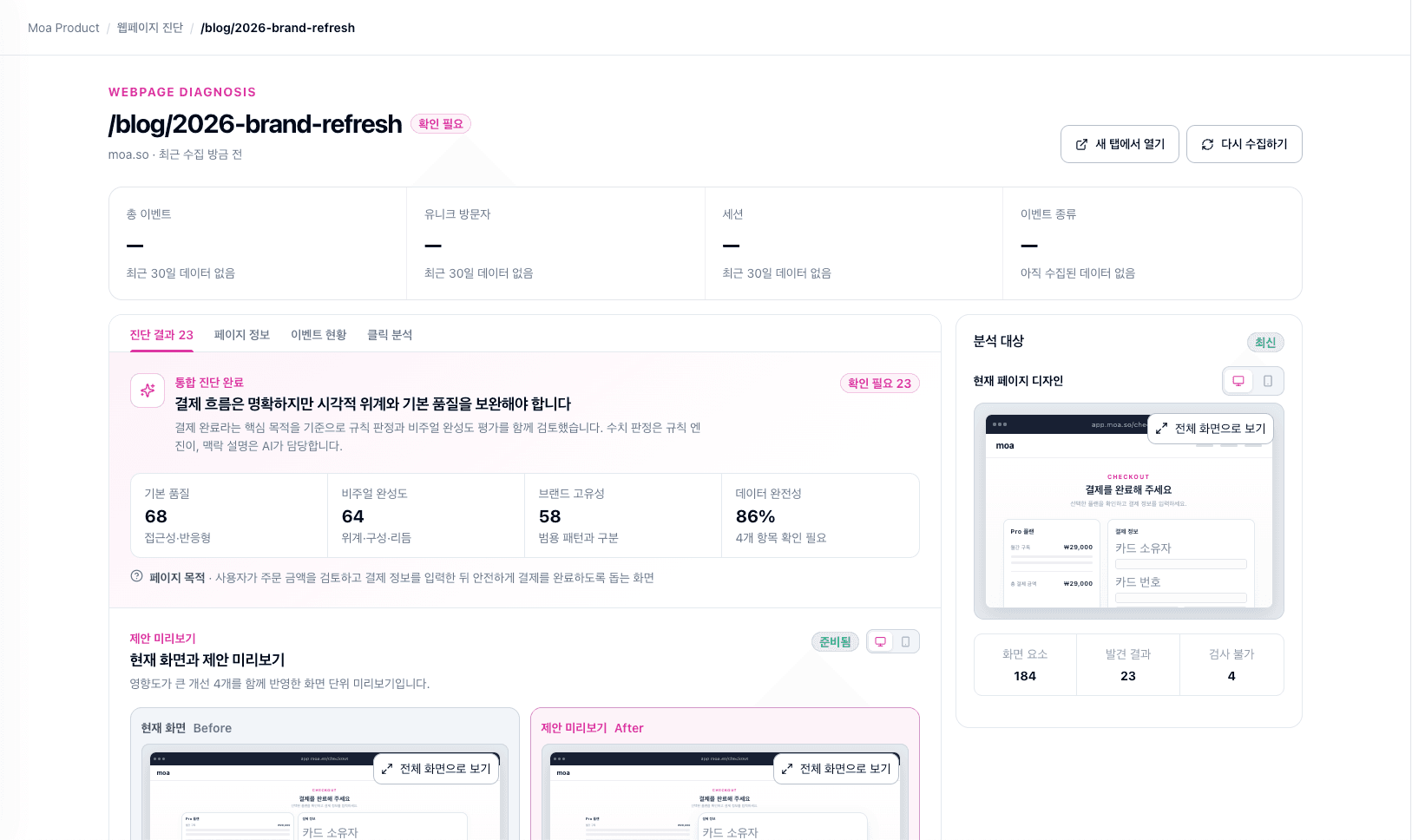
Webpage diagnosis
See what is wrong with your page
with evidence
Analyze the colors, spacing, typography, and structure actually rendered on screen. See which elements need attention and get practical CSS examples for the next fix.
- Diagnosis report — the issue and the actual style value behind it
- Improvement guidance — clear direction and CSS examples
- Priorities — start with the issues that matter most
- Desktop and mobile previews — compare the page across screens
tahtun finds the issue and the direction; you decide what to change.
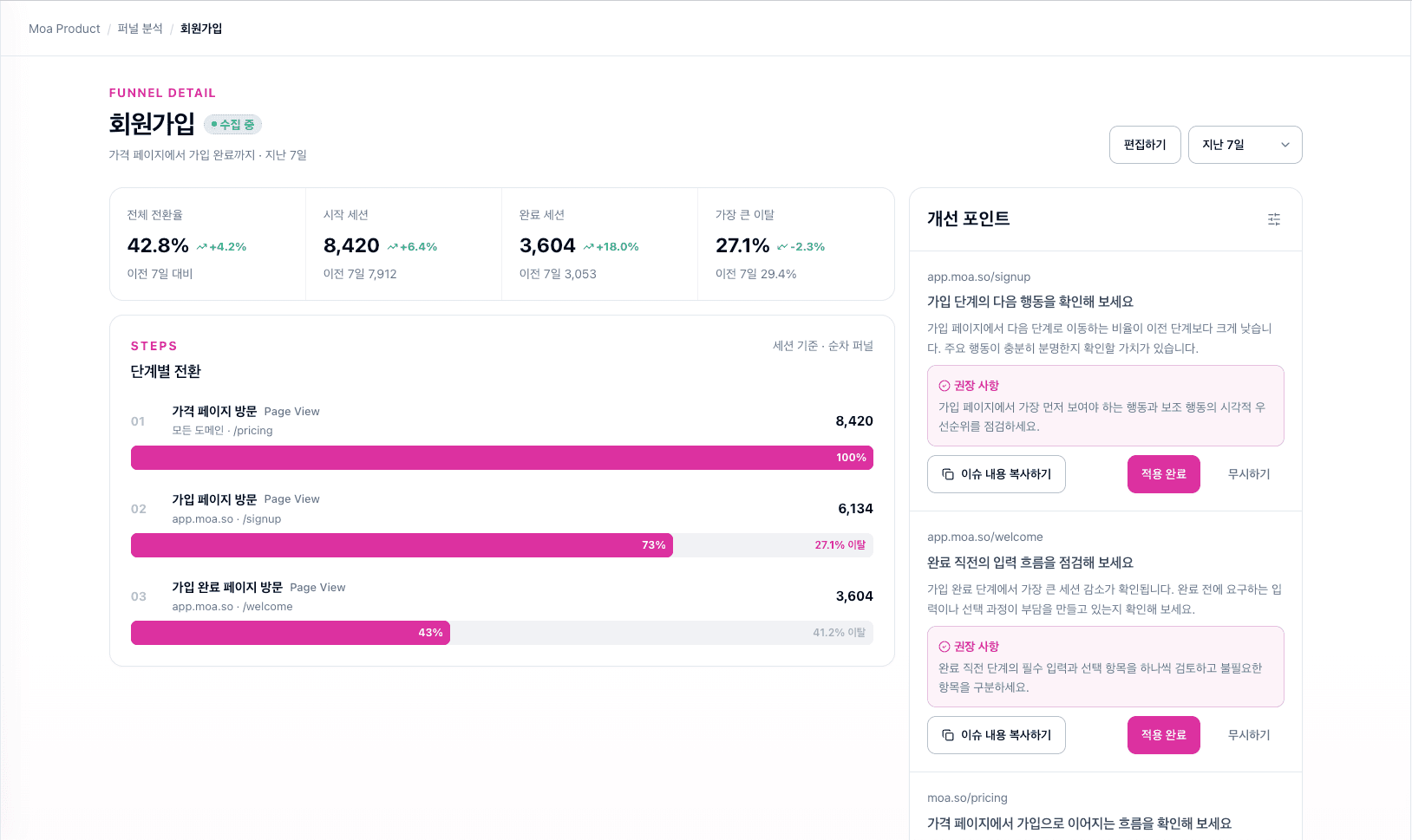
Funnel analytics
Use data to find the page to diagnose
Set up a flow such as visit → sign up → payment to see where users leave and jump straight to the page diagnosis.
- Conversion and drop-off rates at a glance
- Automatic comparison across time periods
- The biggest drop-off highlighted automatically
- Jump straight from a drop-off page to diagnosis
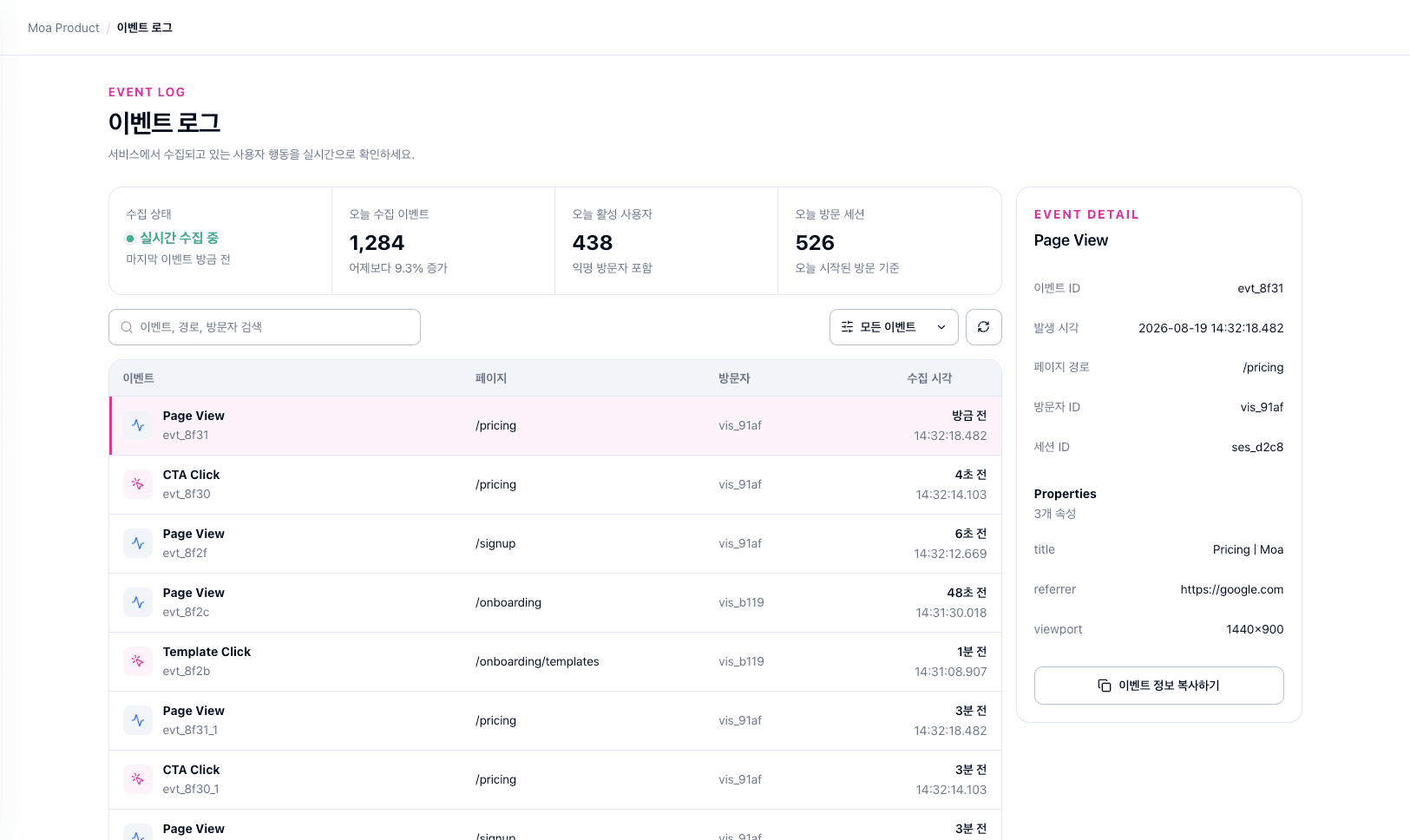
Event log
Follow collection and user behavior
in one flow
Bring page views and CTA clicks together by visitor and session to understand the context behind a diagnosis.
- Review page views and CTA clicks chronologically
- Track visitors, sessions, and page paths together
- See event properties and acquisition context in one place
- Monitor collection status and active users today
Why tahtun?
See the problem in your page
with real evidence
| Capability | Analytics tools | Manual work | tahtun |
|---|---|---|---|
| Analyze rendered page styles | ❌ | Some | ✅ |
| See evidence behind an issue | ❌ | Some | ✅ |
| Get direction and CSS examples | ❌ | Some | ✅ |
| Connect events and funnels | ✅ | ❌ | ✅ |
Built for
People who want to
improve what they build
Solo developers and indie makers
You want to improve the product without hiring a designer yet.
Early-stage startup teams
You need to experiment quickly and improve conversion with every release.
Hands-on product owners
You run your own product and want evidence for the next improvement.
tahtun helps you improve the product you own — it is not an audit tool for someone else’s site.
Use it with confidence
Your data stays safe. You stay in control.
We do not collect form values
We read what is visible on screen, not what users type or what is stored in the browser.
We never change your code
tahtun suggests improvements. You decide what to apply.
Only registered domains
The snippet runs only on domains you have approved.
Team-based access
Manage members and roles within each workspace.
Frequently asked questions
Is setup complicated?
No. Add one snippet and register your domain. It usually takes about two minutes.
Does tahtun change my code?
No. tahtun suggests improvements, but you decide what CSS to change and apply.
What data do you collect?
We collect visit events and rendered screen styles and structure. We do not collect form values or browser storage.
Can I diagnose someone else’s website?
No. You can use tahtun only on domains where you can install and manage the snippet.
Can I use it without knowing design?
Yes. tahtun explains the issue, shows the evidence, and gives you a clear direction with CSS examples.
Can I trust an AI diagnosis?
Actual style values are checked with rules first. AI explains the findings clearly, while you decide whether to apply them.
Start with your own webpage
Add one snippet and get your first diagnosis in just a few minutes.
Start a free diagnosisNo credit card · 2-minute setup · You make the changes